Edge AI for assistive mobility on mobile NPU
TongXing: local perception and a voice agent on one phone
The name means walking with the user. A chest-mounted Android phone becomes the assistive computer: NPU obstacle warning, offline speech, and a local LLM agent that routes spoken requests into closed-loop app actions for navigation, ride-hailing, transit, weather, and visual description.
TL;DR
TongXing is built around a systems bet: mobile NPUs make assistive computing practical to deploy through software. SafetyCore keeps semantic obstacle warning on the phone NPU at 35.16 ms average latency. AgentCore runs Qwen3-1.7B locally on the GPU and turns daily touch-first app tasks into MCP and accessibility-backed voice workflows. Offline speech stays on the CPU path; cloud vision is only an optional description path. The underlying research question is how commodity phones can host trustworthy assistive agents: keeping safety-critical perception local, constraining tool-use side effects, and separating real-time warnings from best-effort reasoning.
TongXing won a national second prize in 4C 2026, work no. 2026023242.
Key Numbers
- 35.16 ms
- Mean SafetyCore latency measured on 1,636 walking frames
- 11 tools
- MCP and accessibility-backed tools for touch-first app tasks
- 3 compute paths
- NPU vision, GPU LLM, and CPU offline speech on one phone
Safety Evidence
Three walking clips from the test assets. Each one exercises a different failure mode: non-standard obstacles, moving street traffic, and crowded pedestrian flow.
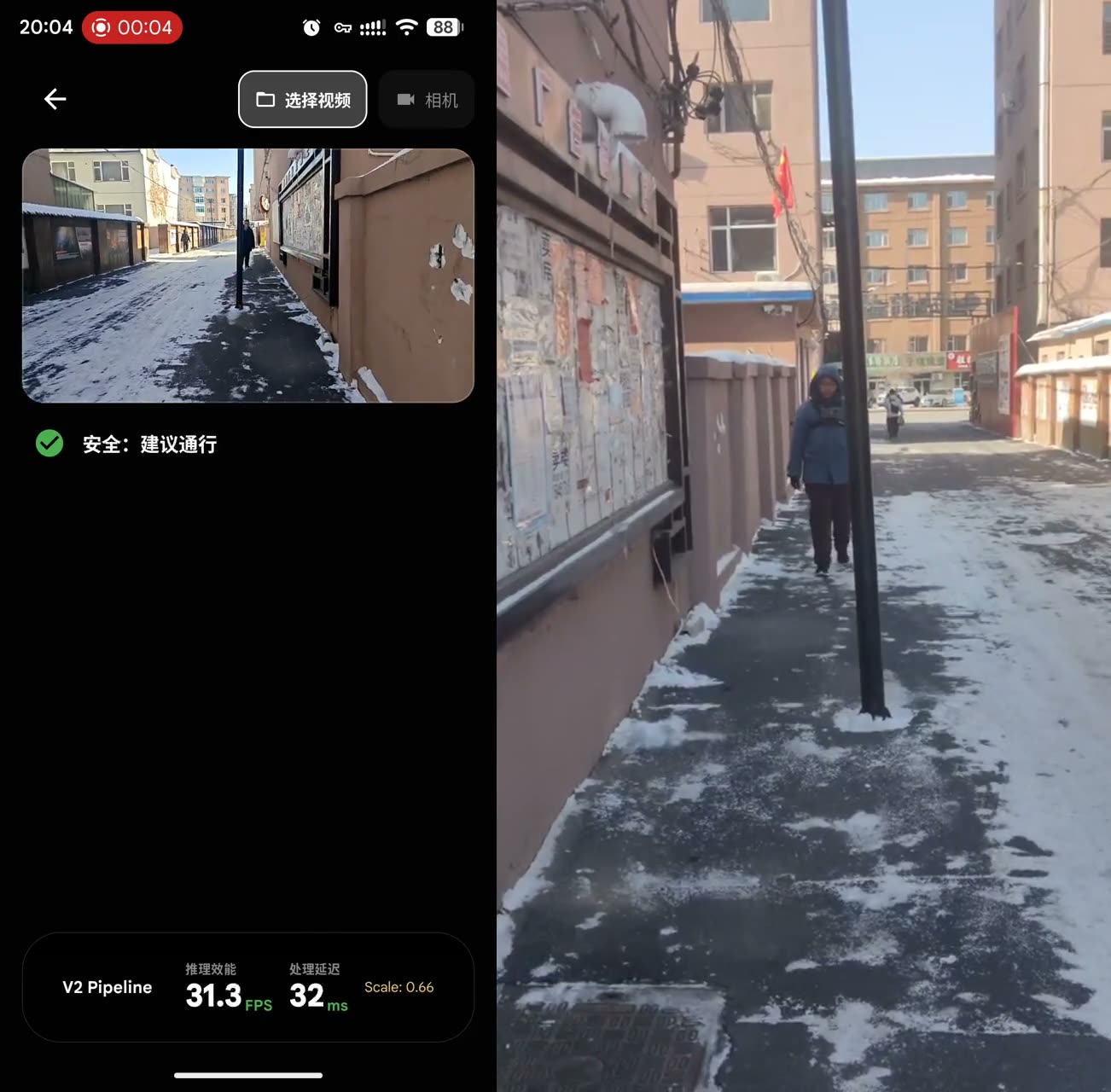
Non-standard obstacle
A pole-like obstacle missed by detection is recovered through segmentation.
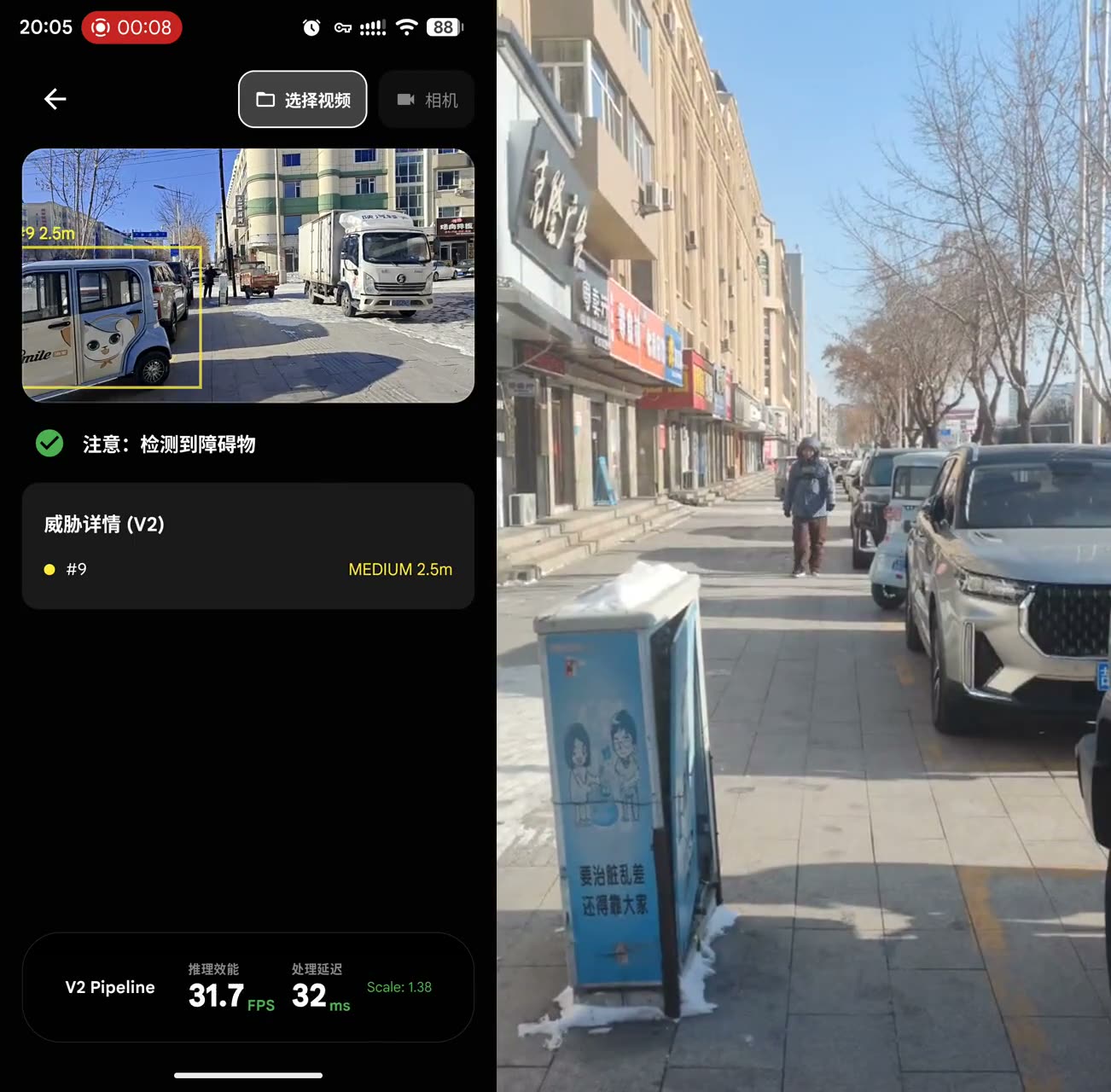
Street walking
Static roadside objects stay quiet while approaching pedestrians are upgraded.
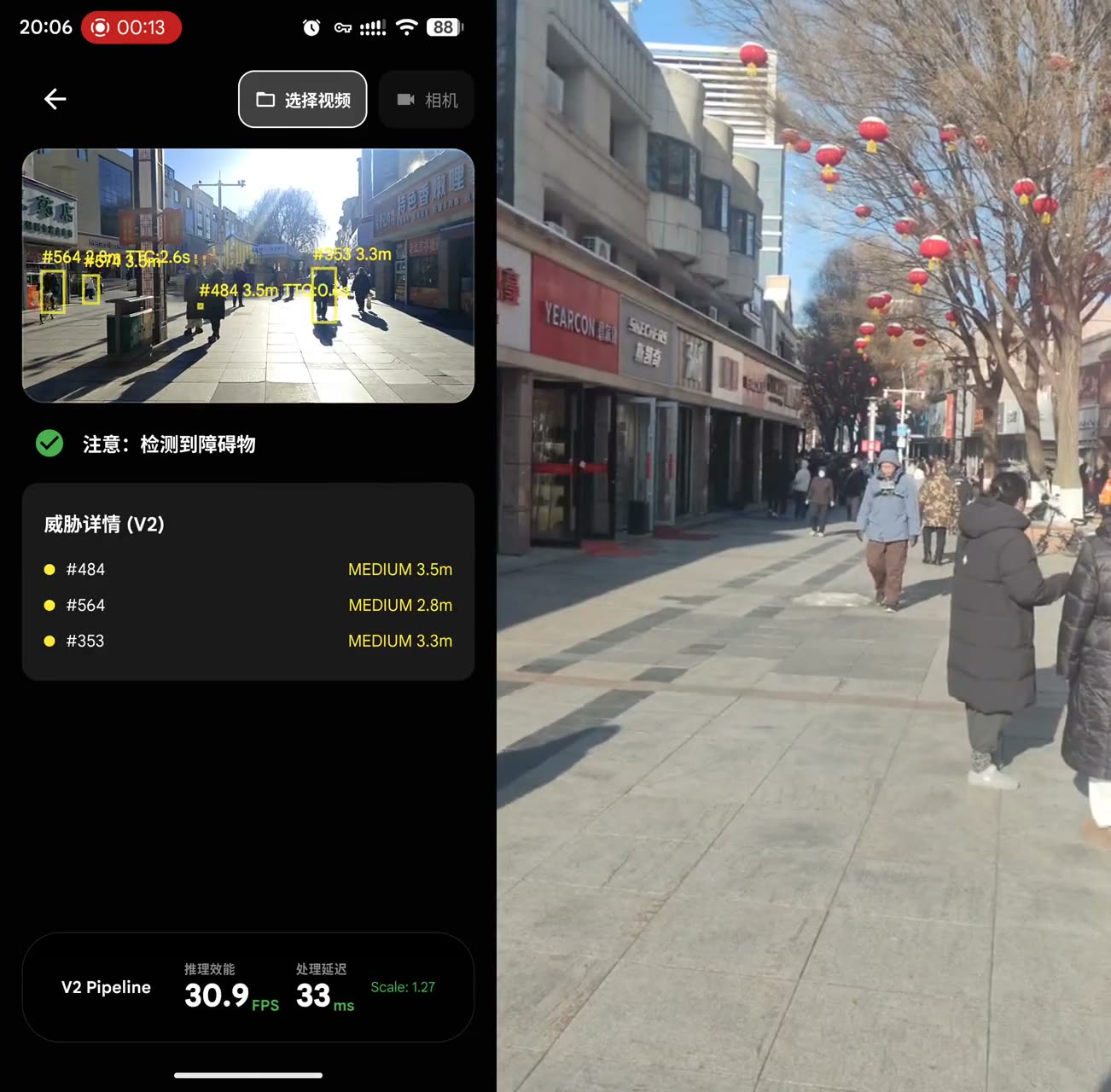
Crowded pedestrian flow
Multi-target tracking keeps object identities stable, so warnings do not flicker on every noisy frame.
The Problem
The missing piece is not another description app. It is an on-device safety loop.
A white cane is reliable, but its sensing range is short and mostly near-ground. It does not tell the user whether the object ahead is a parked vehicle, an approaching pedestrian, a pole, or a hanging obstacle.
Cloud vision systems can describe rich scenes, but their latency and network dependency are wrong for collision warnings. Safety alerts have to survive tunnels, elevators, and weak signal areas.
The same user also faces a digital-accessibility gap in touch-first apps. Navigation, taxi, train, flight, weather, and visual description need one voice loop that can recover from intermediate choices without forcing the user back to the screen.
Perception
A cane only covers near-ground contact. Hanging signs, poles, parked vehicles, and crossing traffic remain outside its sensing range.
Risk
Binary obstacle signals do not tell the user what the object is, whether it is approaching, or how urgently to react.
Latency
Cloud vision can describe scenes, but 377-1300+ ms is too slow for collision warnings during walking.
App access
Navigation, ride-hailing, ticket queries, weather, and visual description are scattered across touch-first apps that are hard to close through speech alone.
Why Edge
Compute is already in the phone
Affordable Android phones increasingly ship with NPUs and GPUs that sit idle for most daily tasks. Assistive perception is a good use for that local compute.
No extra hardware changes adoption
The marginal deployment cost is close to zero when the system reuses a phone and Bluetooth earphones instead of requiring smart glasses or a special cane.
Local is the right safety boundary
Obstacle warning should not depend on uplink latency, coverage, or server availability. Keeping the safety path on device also keeps camera data local.
Agentic UI is an accessibility layer
A tool-using voice agent can close touch-first app tasks through spoken workflows, as long as MCP tools and accessibility actions give the small local model a constrained control surface.
Design Constraints
No extra hardware
Chest-mounted phone, Bluetooth earphones, no smart glasses, no electronic cane dependency.
Safety stays local
Obstacle warning, ASR, and TTS keep running in tunnels, elevators, and weak-signal areas.
Cloud is optional
Scene description can call a cloud vision model, but the safety path does not depend on it.
System
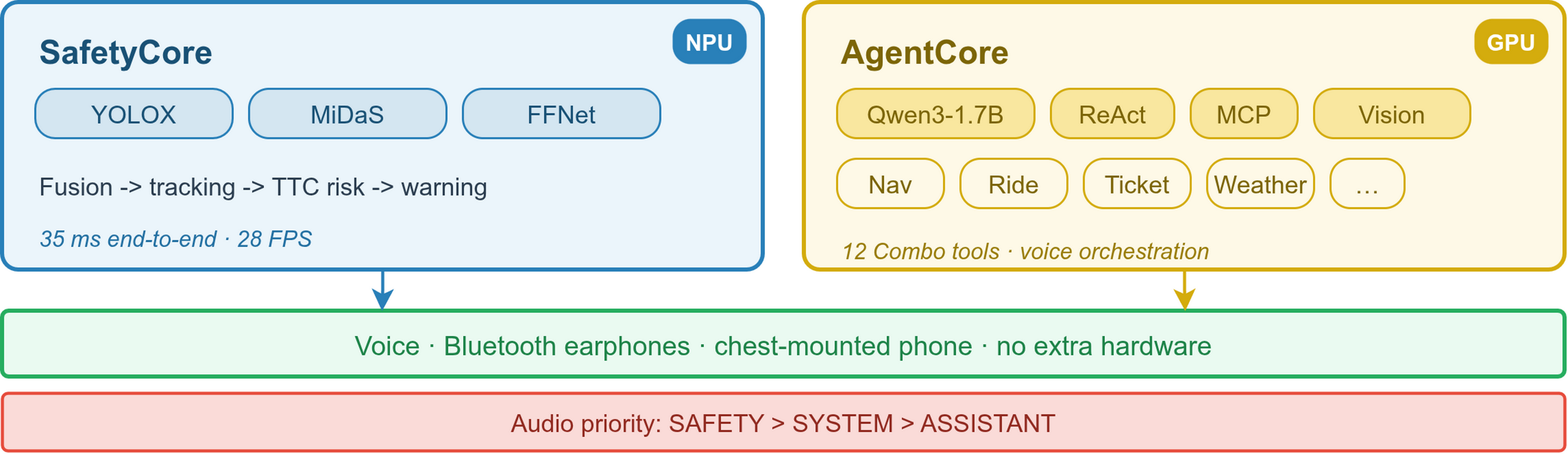
Architecture
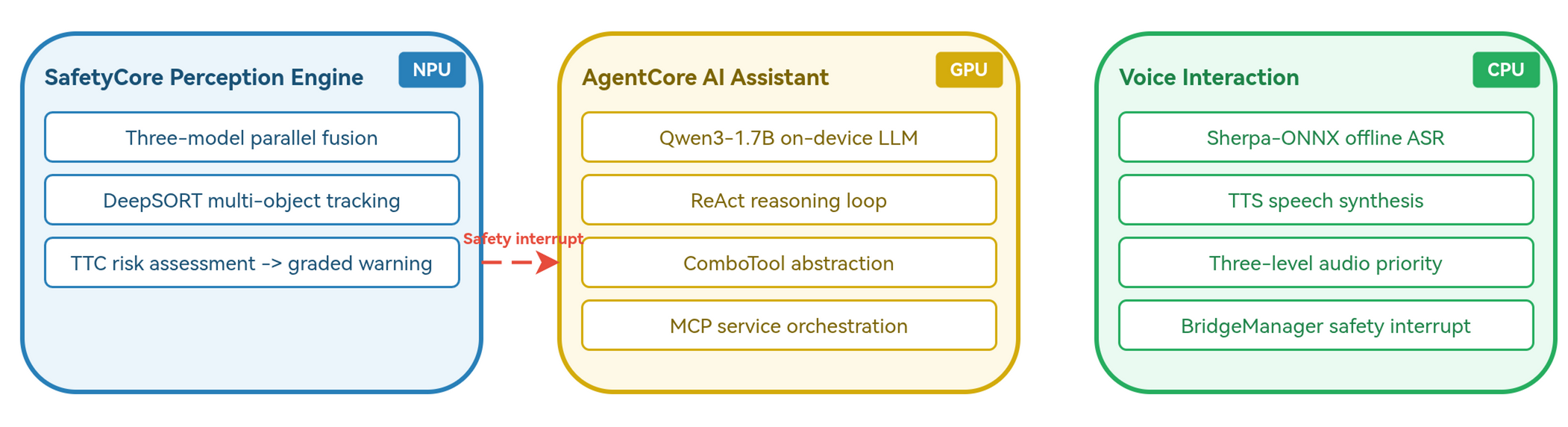
SafetyCore
YOLOX, MiDaS, and FFNet run as independent INT8 models on the NPU. Post-fusion turns category, relative depth, and walkable-area semantics into tracked obstacles, distance estimates, TTC, and warning levels.
AgentCore
Qwen3-1.7B drives a ReAct loop over 11 Combo tools and accessibility actions. The tool layer compresses MCP outputs, maps long POI IDs to short LIDs, and keeps repeated tool definitions warm in KV Cache.
Voice Loop
Offline ASR and system TTS sit on the CPU path. A safety warning can stop ASR, cancel the active LLM request, clear lower-priority speech, and speak immediately.
Engineering Judgment
Post-fusion over joint training
YOLOX, MiDaS, and FFNet stay independently quantized and replaceable. The cost is more fusion code; the benefit is a deployable pipeline without a custom training set.
Agent design before prompting
A 1.7B model is not asked to copy long POI IDs, inspect raw service schemas, or operate arbitrary screens directly. ComboTool, short LID mapping, OutputDistiller, Stem Context, and accessibility actions reduce the task before prompting begins.
Hardware isolation over raw peak speed
Vision runs on Hexagon NPU, Qwen3-1.7B runs on Adreno GPU, and offline speech stays on CPU. The design protects the 15 Hz safety loop while the assistant is thinking.
Edge Deployment
The project is a resource-placement exercise, not just a model demo. Six models share one Android process. Vision gets the NPU, language gets the GPU, and speech stays on CPU because safety audio must keep working while the assistant is generating.
Hexagon NPU
YOLOX, MiDaS, FFNet, MobileNetV2
W8A8 TFLite models handle detection, depth, segmentation, and tracking features.
Adreno GPU
Qwen3-1.7B
Q4_0 GGUF runs through a llama.cpp OpenCL backend, isolated from the vision path.
CPU
Paraformer ASR, TTS, fusion glue
Offline speech and lightweight control code keep the service usable without network.
SafetyCore Details
Three models, one warning stream
YOLOX supplies object boxes for common categories such as people and vehicles. MiDaS supplies relative depth. FFNet marks walkable ground and structural obstacles such as poles, walls, and fences. The post-fusion layer keeps the three models independent, so any model can be replaced or re-quantized without retraining a fused network.
Ground-constrained scale recovery
MiDaS depth is relative, so TongXing uses the chest-mounted camera assumption and FFNet ground pixels to recover a scene scale. A short median history smooths the scale factor. If ground pixels are unreliable, the system falls back conservatively instead of speaking overconfident warnings.
Tracking before warning
DeepSORT-style tracking links detections across frames, then the warning layer uses distance, approach speed, central-region constraints, and a short vote window before speaking. This is why the demo emphasizes sustained warnings rather than single-frame detections.
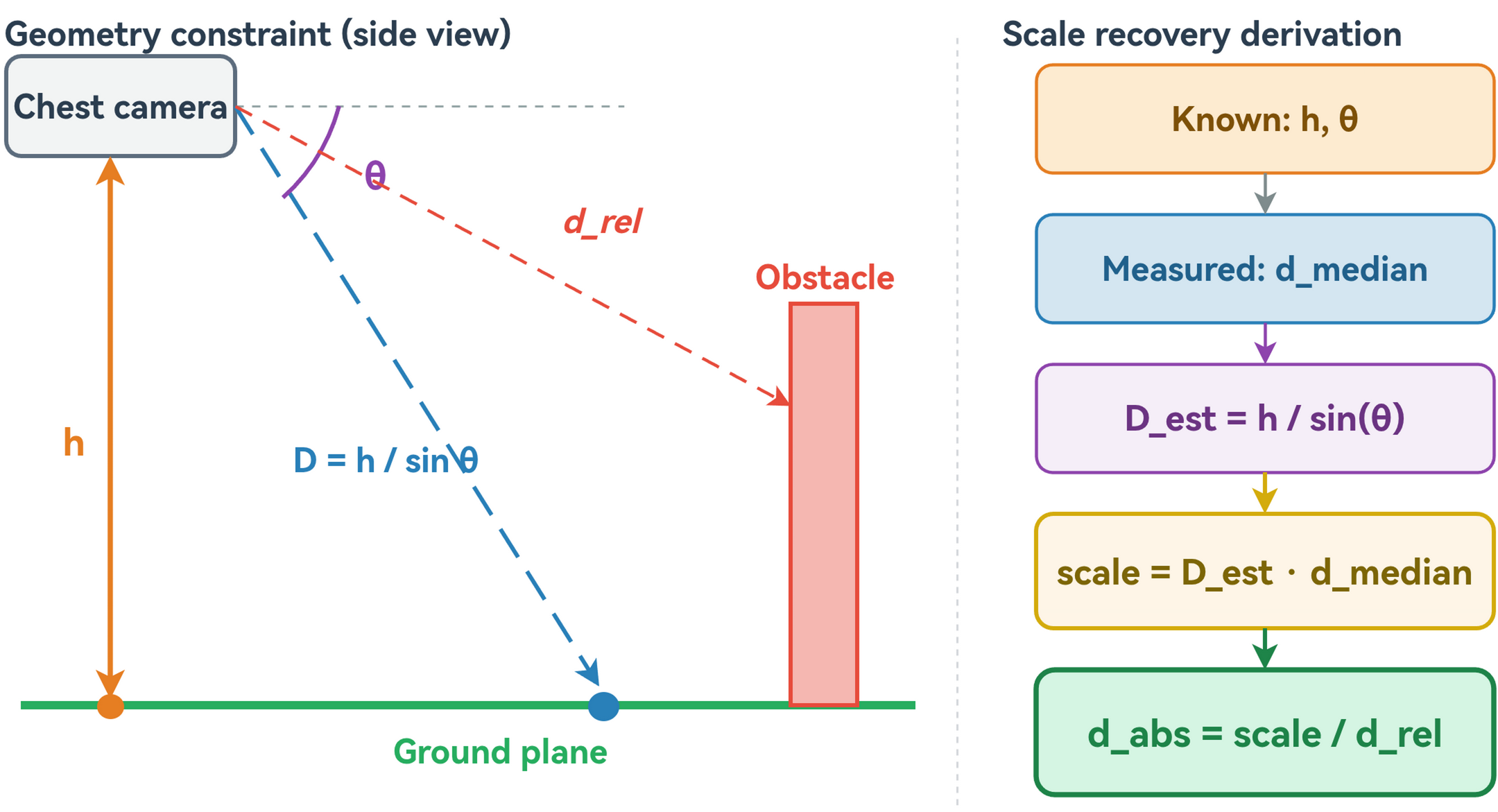
Warning Pipeline
Scale recovery
MiDaS gives relative depth, so SafetyCore uses chest-mounted camera geometry and FFNet ground pixels to recover a usable scene scale.
Dual-path extraction
YOLOX covers people and vehicles. FFNet adds poles, fences, walls, and other non-standard obstacles that object detection misses.
Tracking first
DeepSORT-style association keeps identities stable before any warning is spoken, so the user hears sustained risks rather than per-frame noise.
TTC warning
Distance and approach speed produce HIGH or CRITICAL warnings. A short vote window suppresses single-frame spikes.
AgentCore Showcase
AgentCore is tuned to close short app tasks through voice rather than open-ended chat.
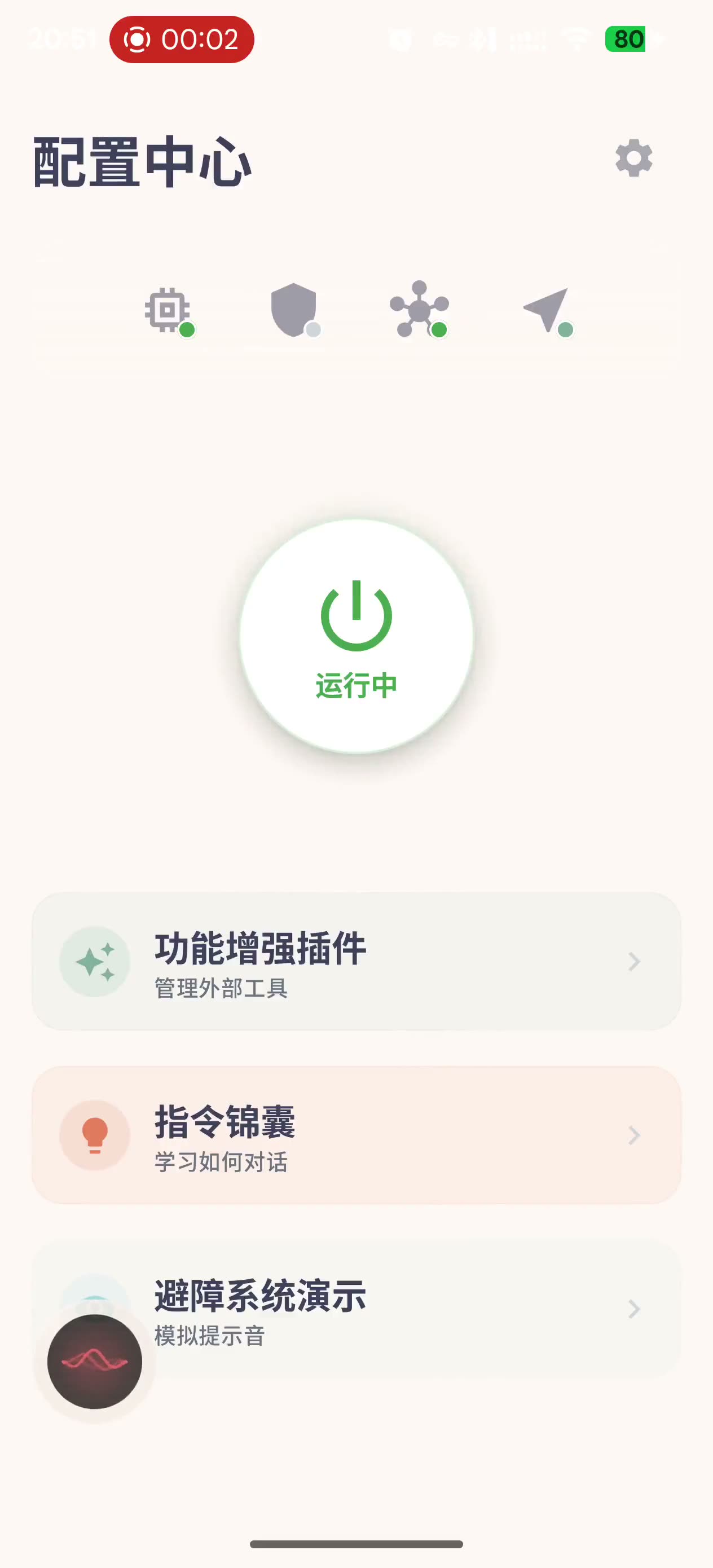
Voice navigation
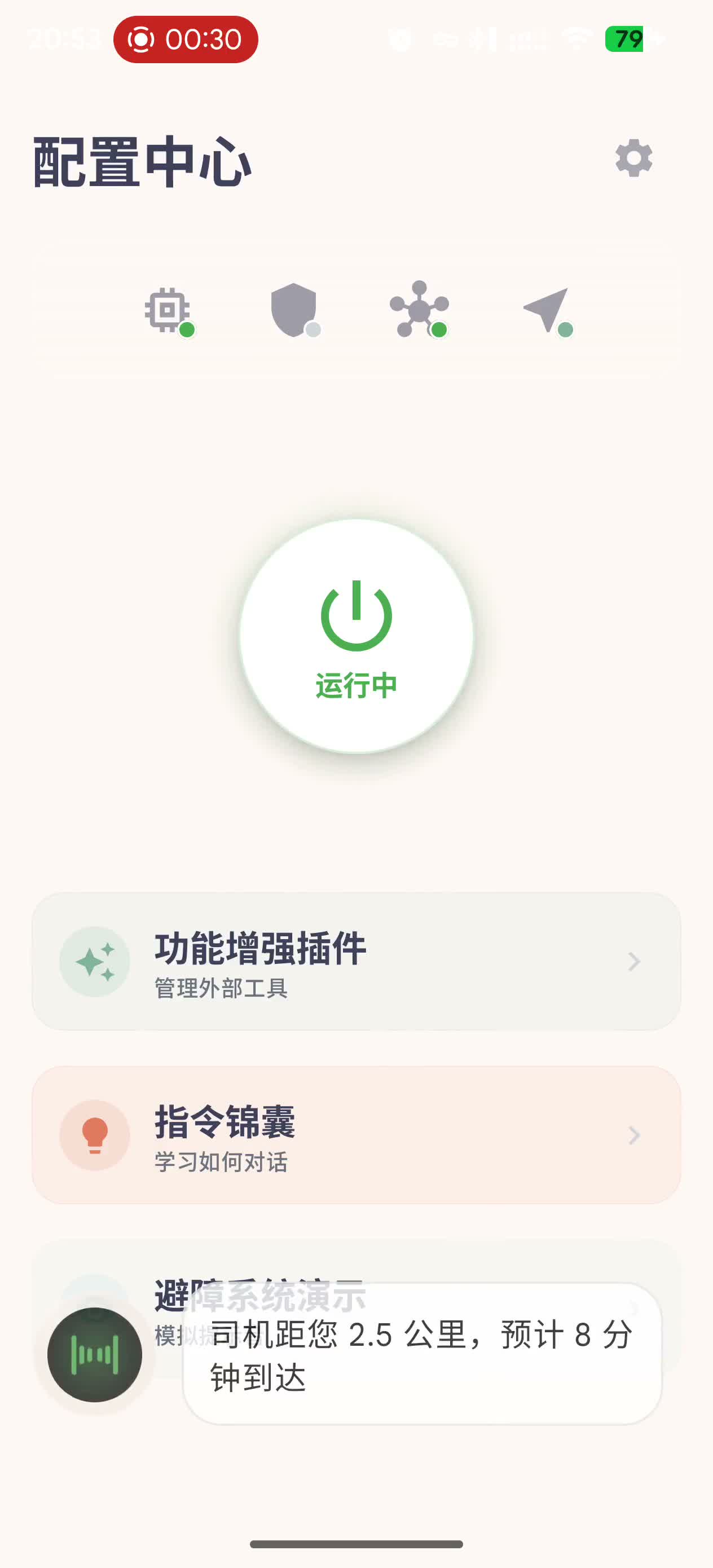
Ride status
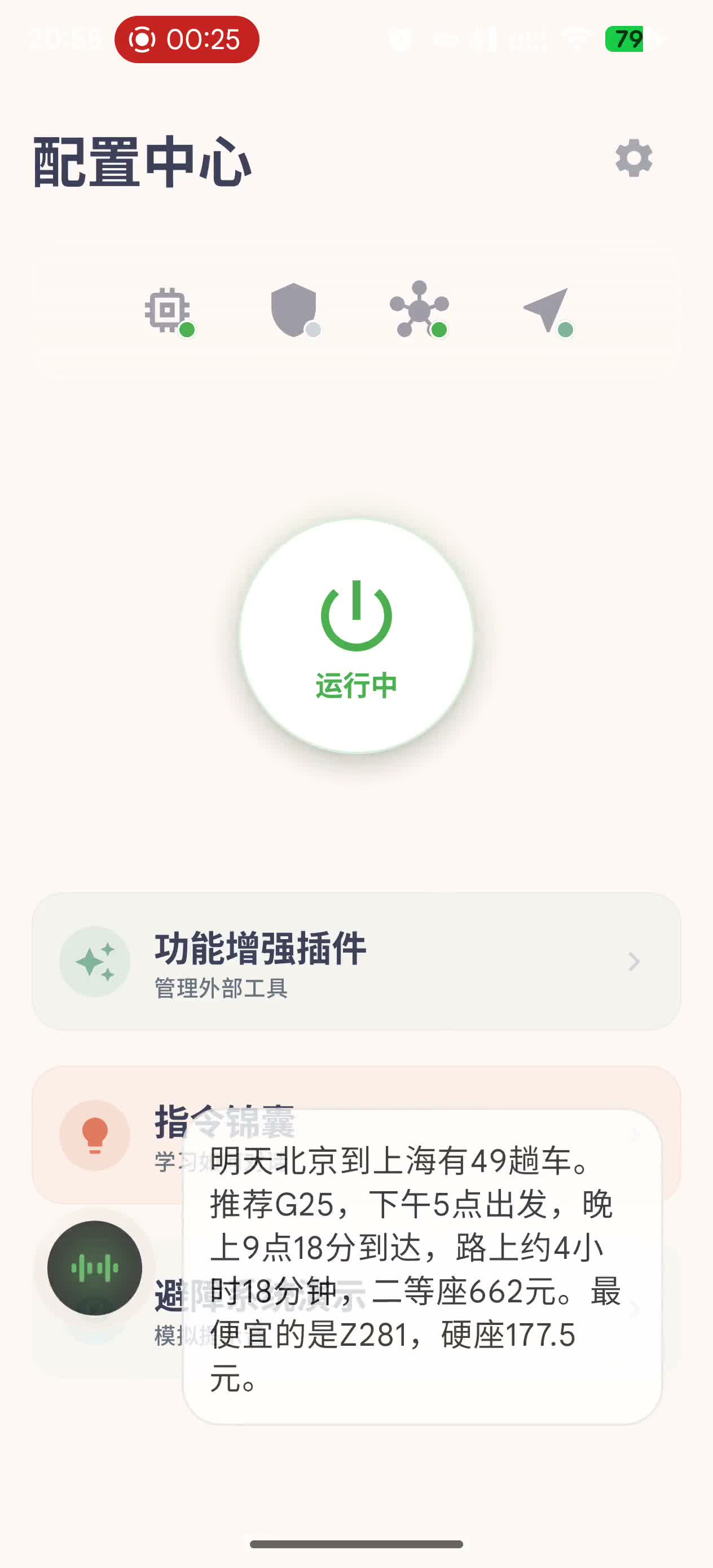
Train query
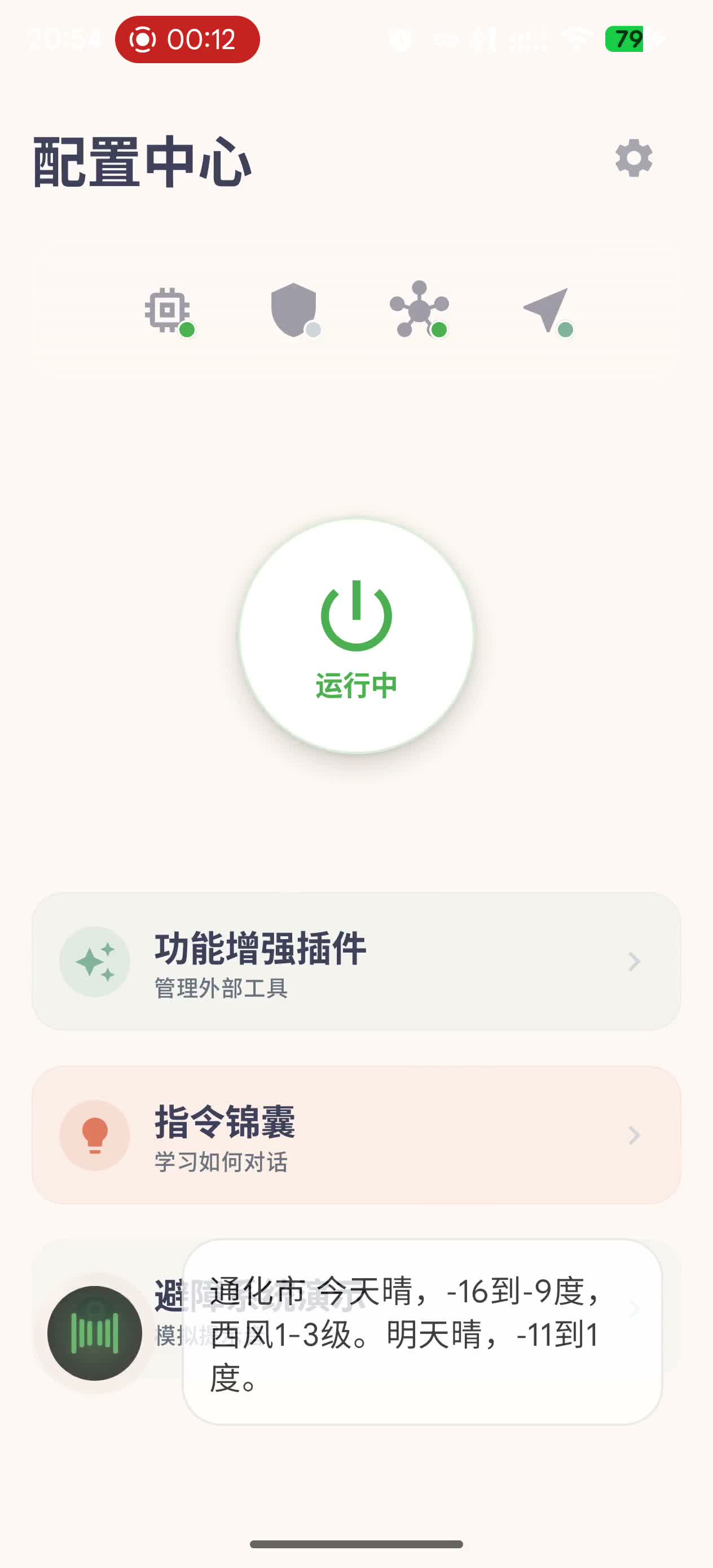
Weather
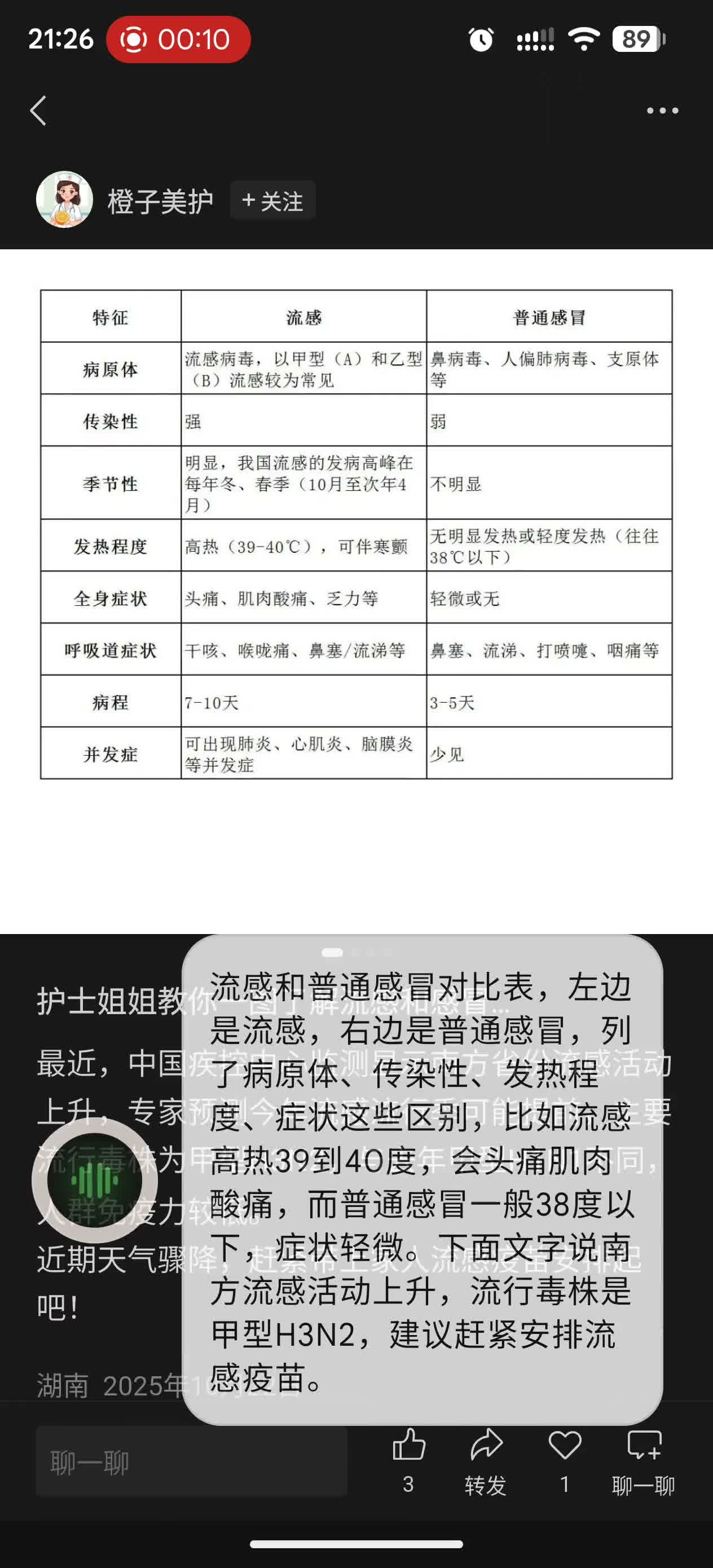
Screen reading
AgentCore Mechanics
ComboTool
Multi-step MCP calls and accessibility operations are wrapped as one semantic action, such as find_nearby plus navigate_to or estimate plus call_taxi.
Short LID
Long POI IDs are mapped to L1, L2, L3. The LLM copies short identifiers; the app keeps the real IDs internally.
OutputDistiller
Tool outputs keep only fields needed for the next decision, such as names, distances, IDs, and short status text.
Stem Context
System prompt and tool definitions stay warm in KV Cache, so each new command only prefills the changed task context.
Product Surface
The app surface is deliberately sparse: first-run setup, service switches, speech preferences, and a debug view for inspecting the safety pipeline.
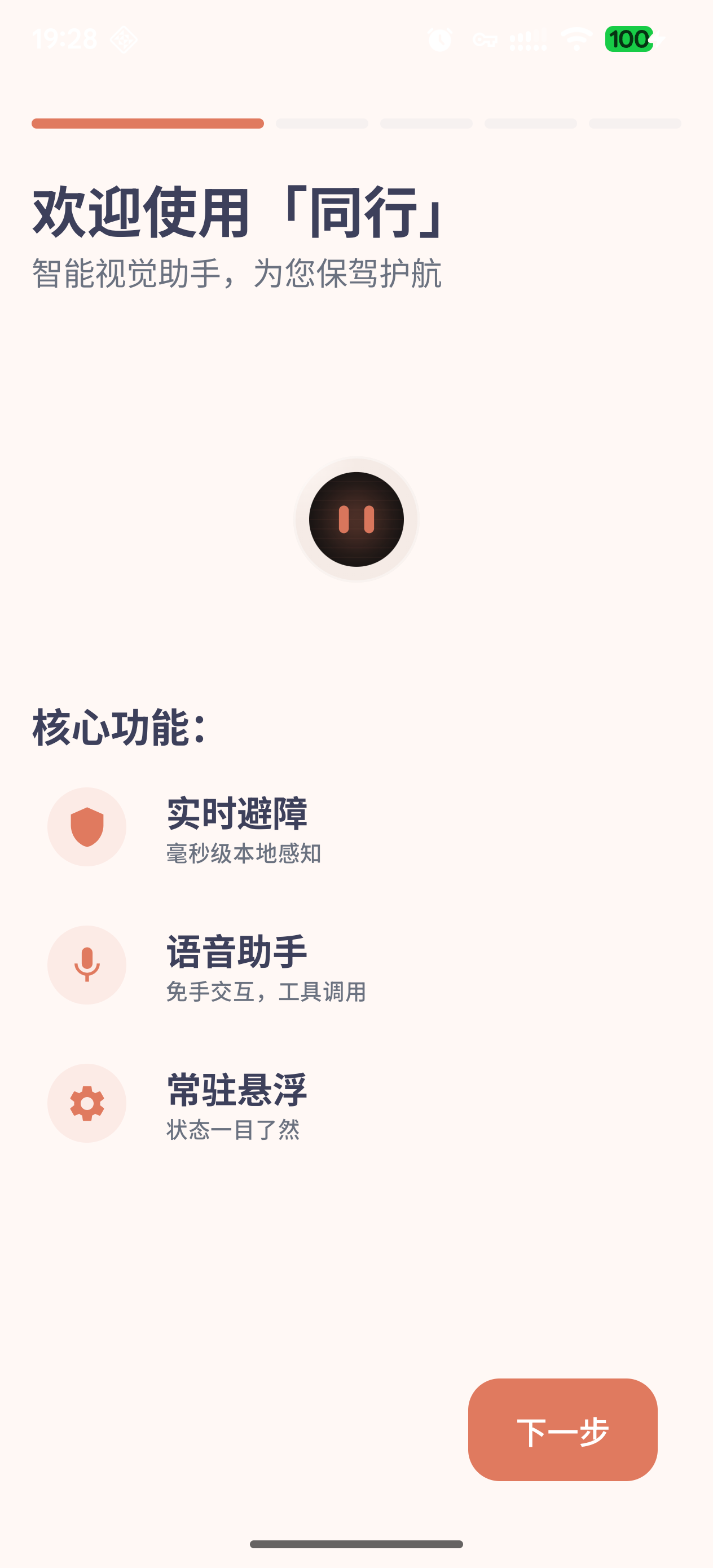
Onboarding
The first-run flow explains the three operating assumptions: live obstacle sensing, voice control, and a persistent floating state.
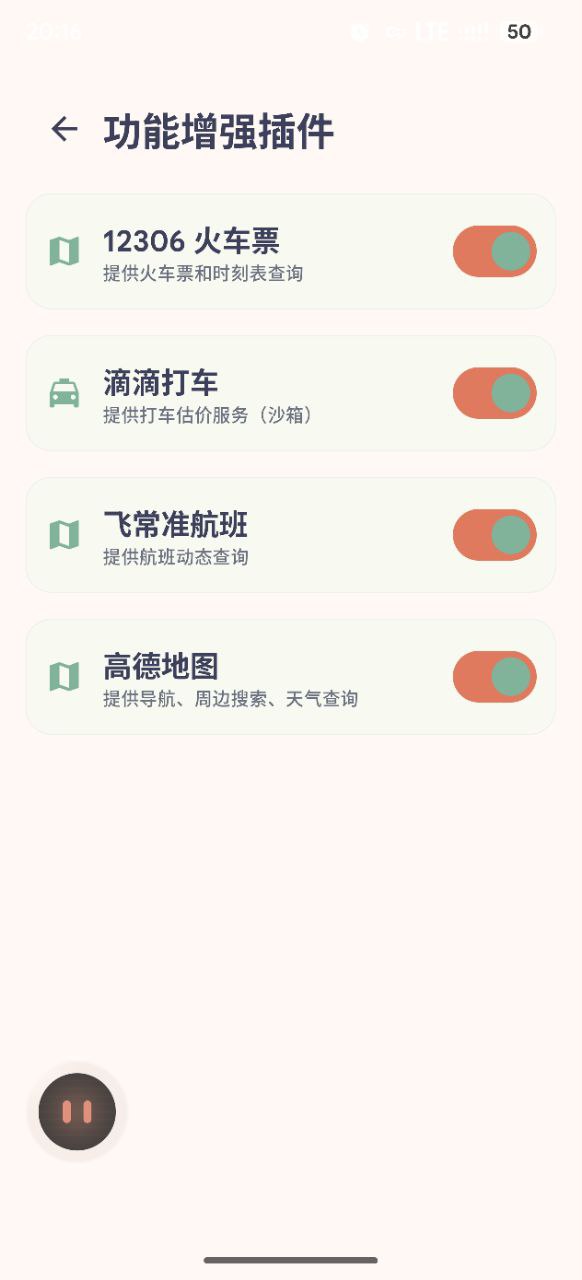
Service plugins
External services are exposed as switchable plugins, so unavailable providers do not pollute the tool list shown to the assistant.
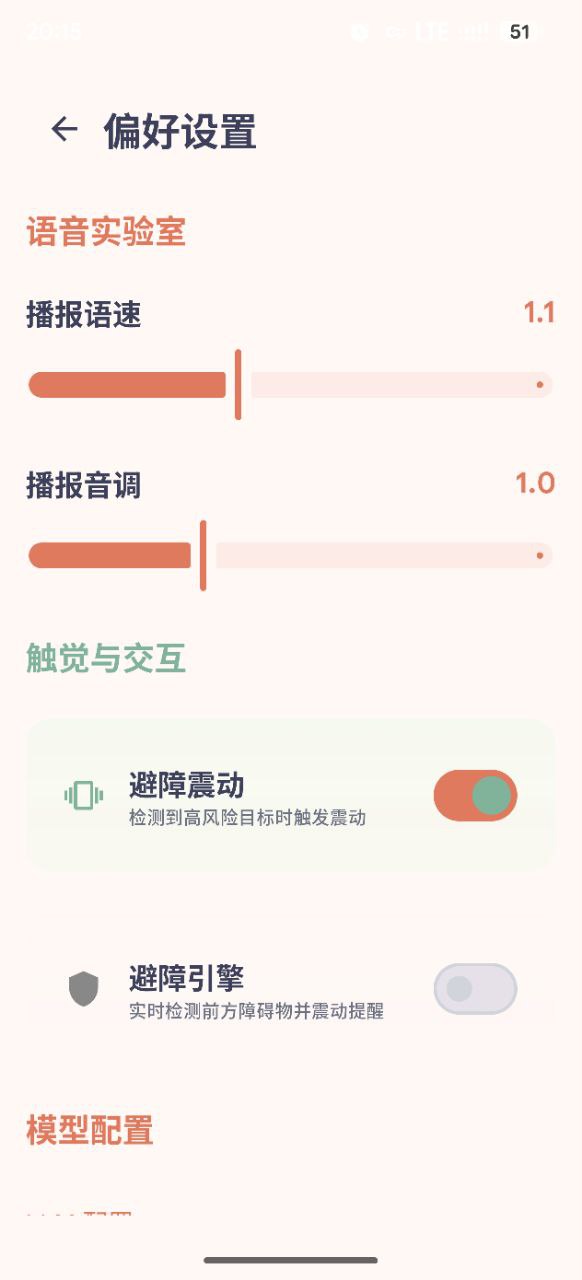
Preferences
Speech speed, speech pitch, vibration, and obstacle-engine toggles remain visible as normal app settings rather than hidden debug flags.
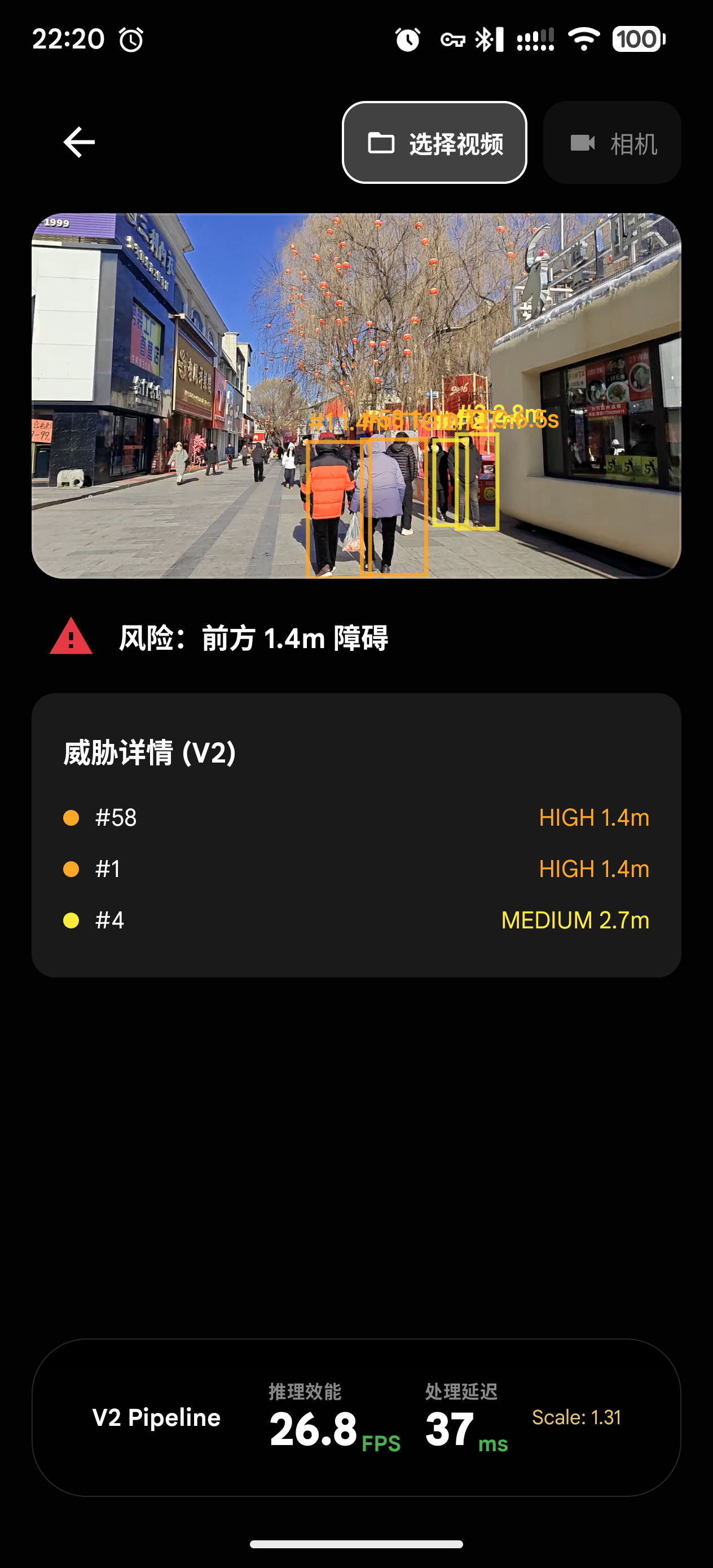
Safety debug view
The internal view overlays class, track ID, distance, and warning level on top of the live camera stream.
Performance
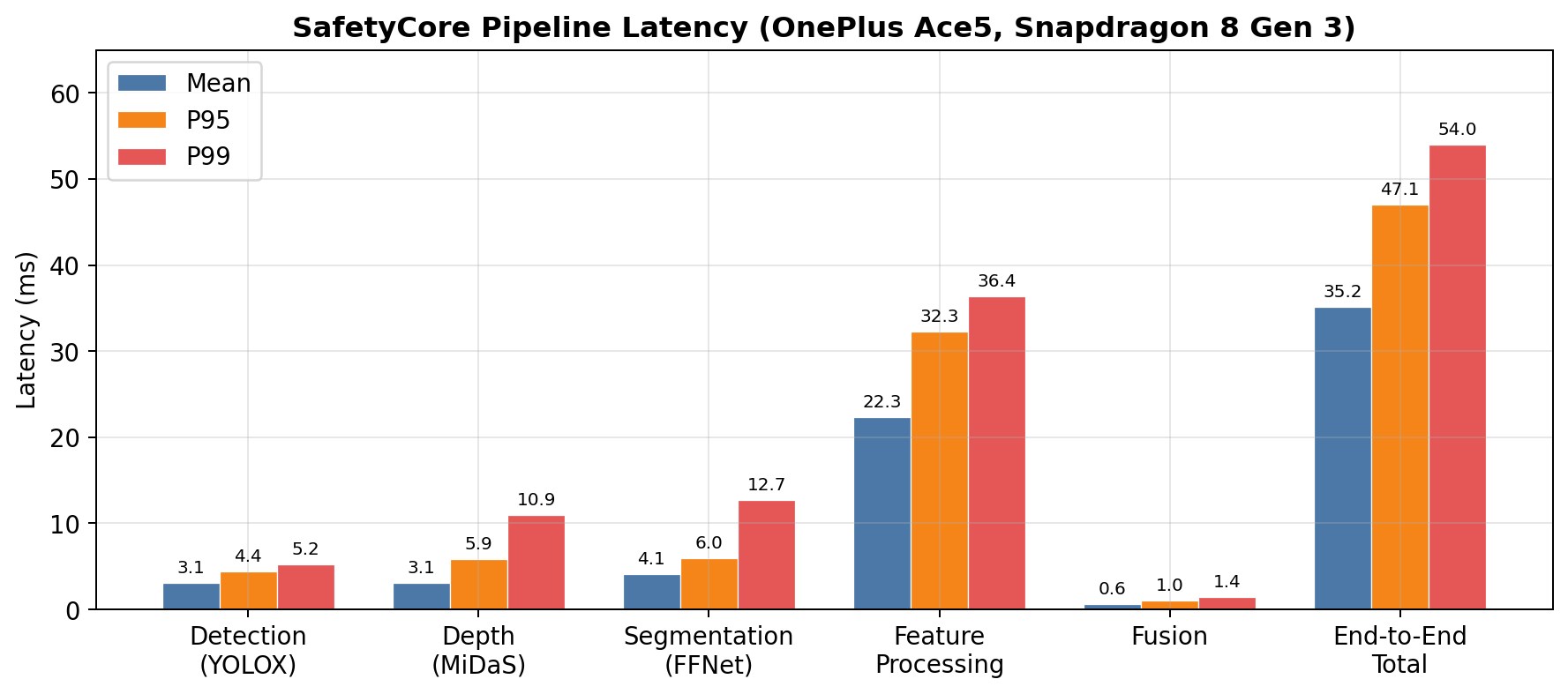
The SafetyCore benchmark is the rigorous number on this page: 1,636 effective frames from three self-collected walking videos, processed through detection, depth, segmentation, feature extraction, tracking, and warning assessment.
The system runs the safety loop at 15 Hz for power and stability, even though the measured throughput is higher. The remaining latency variance mostly comes from feature processing, because the number of tracked objects changes from frame to frame.
Validation
SafetyCore
Evidence: 1,636 effective frames from three self-collected walking videos.
Result: 35.16 ms mean, P95 47.07 ms, P99 54.02 ms.
Scale recovery
Evidence: Street and alley scenes with different ground geometry.
Result: Recovered distance trends stay comparable enough to reuse warning thresholds.
AgentCore
Evidence: Scripted navigation, ride-hailing, query, vision, and accessibility-control flows.
Result: Voice-loop task routing stayed stable across the tested main paths.
Full pipeline
Evidence: SafetyCore alone vs. SafetyCore plus AgentCore on Snapdragon 8 Gen 3.
Result: NPU vision and GPU LLM run concurrently with CPU P95 at 51.9%.